Choosing the right thermal paper roll size starts with three key dimensions: width, outer diameter, and core size. With width being the most critical measurement, since a roll that is too wide simply will not fit your printer. Match these specs to your printer model to avoid jams, wasted paper, and unnecessary costs.
Key Takeaways
- Thermal paper rolls come in 7 distinct types, each suited for specific printer models and industries.
- Match the roll width exactly to your printer's specifications to avoid paper jams and misprints.
- Receipt printers in retail and restaurants most commonly use 80mm or 57mm wide thermal rolls.
- Roll diameter determines how long the paper lasts between changes, directly affecting operational efficiency.
What Do You Need Before Choosing a Size?
Gathering the right information before ordering Thermal Paper Rolls prevents costly printer jams, wasted inventory, and operational downtime. Ordering the wrong roll width forces businesses to reorder immediately. A disruption no busy retail counter or restaurant kitchen can afford.
POS Paper serves a specific range of hardware, and each device has fixed dimensional requirements. POS Systems, cash registers, gas pumps, and Credit Card Terminals all rely on thermal printing technology, which uses a heat element to activate the image — eliminating the need for ink or ribbons entirely. Mobile Printers add another layer of variation, as compact form factors often require narrower roll widths than countertop units.
What measurements does a business need before buying Paper Rolls?
Follow these steps before placing any order for Paper Rolls:
- Locate the printer manual. The manual lists the exact roll width the device accepts.
- Measure the existing roll. Use a ruler to measure the width of a roll currently in use.
- Note the core size. Record the inner core diameter, as mismatched cores prevent proper loading.
- Confirm the roll diameter. Check the maximum roll diameter the printer compartment accommodates.
Does the type of terminal affect which size to order?
Different terminals accept different roll widths, so businesses cannot assume one size fits all hardware. paperrolls n more stocks rolls compatible with a wide range of terminals and printers, making cross-referencing straightforward. Consulting the device manual remains the single most reliable prerequisite before purchasing.
How Does Width Determine the Right Fit?
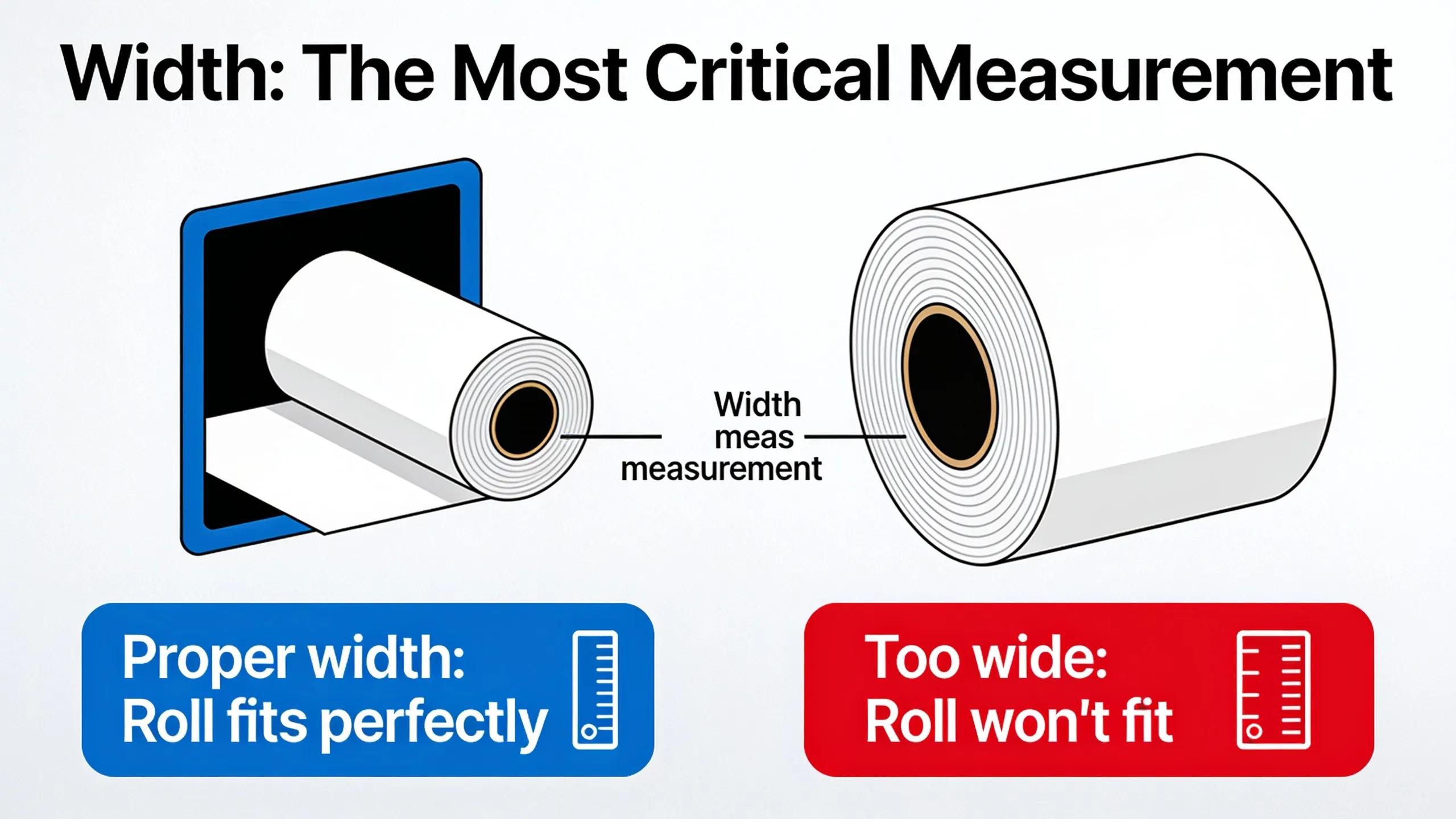
Width is the single most critical dimension when selecting Thermal Paper Rolls for any printer. A roll that is too wide physically cannot load into the printer housing, and a roll that is too narrow causes misfeeds — wasting paper and disrupting operations during peak hours.
Standard widths for POS Paper fall into two primary categories: 57mm (2 1/4 inches) for compact devices. 80mm (3 1/8 inches) for full-size POS Systems. Other widths exist for specialized hardware, so operators must confirm their printer's exact specification before ordering.
PaperRolls-N-More stocks Paper Rolls across a wide spectrum of widths — from 1 1/2" through 8 1/2" — including 2 1/4", 3 1/8", 4 1/4", and 4 3/8", ensuring compatibility with everything from handheld Mobile Printers to wide-format receipt systems and Credit Card Terminals.
What Width Do Most POS Printers Use?
The 3 1/8" (80mm) roll is the dominant choice for retail stores, restaurants, and supermarkets. Printers using this width deliver more printable surface area, making the format ideal for detailed receipts that include logos, promotional messaging, or lengthy item lists.
How Do Operators Confirm the Correct Width?
Follow these steps to identify the right width before placing an order:
- Remove the current roll from the printer and locate the width printed on the roll's packaging or label.
- Measure the paper strip with a ruler if no packaging is available — measure across the paper face, not the core.
- Cross-reference the printer manual or the manufacturer's website to confirm the maximum accepted width.
- Match that measurement to the corresponding product listing on PaperRolls-N-More's catalog, filtering by width to narrow results instantly.
How Does Roll Length Affect Your Operations?
Roll length directly determines how often staff must stop to replace paper rolls, and choosing the wrong length costs high-volume businesses measurable time and labor every single shift. Operations that run short rolls through busy periods face repeated interruptions — each swap pulling an employee away from serving customers.
PaperRolls-N-More (also known as paperrolls n more) carries thermal paper rolls spanning a wide range of lengths, from under 100 feet up to 3,000 feet, giving businesses at every volume level a precisely matched option. That range means a low-traffic kiosk and a high-volume restaurant chain can both source the right roll from a single supplier.
Which Roll Length Works Best for High-Volume Environments?
Extended-length rolls — such as the 3 1/8" x 230' format. Are engineered specifically to reduce roll changes in demanding environments like retail stores, restaurants, hospitality venues, and convenience stores. Fewer roll changes mean fewer service interruptions and lower labor overhead during peak hours.
How Should Businesses Order to Minimize Supply Disruptions?
Businesses that rely on POS Systems, Credit Card Terminals, and Mobile Printers should consolidate orders around bulk-friendly options. The 3 1/8" x 230' POS paper rolls are available in free-shipping pack configurations, making bulk ordering cost-effective without adding freight costs. Follow these steps to optimize roll selection:
- Identify the daily transaction volume for each printer location.
- Match that volume to the appropriate roll length from PaperRolls-N-More's range.
- Select a free-shipping bulk pack for the highest-traffic terminals.
- Schedule reorders before stock drops below a one-week supply.
Which Core Size and Diameter Should You Match?
Thermal Paper Rolls ship in eight distinct core sizes — coreless, 3/8", 7/16", 1/2", 11/16", 3/4", 1", and 2" — and matching the wrong core to a printer causes misfeeds, jams, and wasted inventory. Three dimensions define every Paper Roll: width, diameter, and core size. Loading a roll with an incompatible core wastes an entire roll and halts transactions at the register.
Before selecting a roll, operators must confirm all three measurements from the printer's manual or the label on the existing roll box.
Prerequisites: Have the printer model number and a spent roll (or its packaging) on hand before beginning.
- Measure the core inner diameter of a spent roll using calipers or a ruler. Match that measurement exactly to one of the eight standard core sizes PaperRolls-N-More carries.
- Record the outer roll diameter to confirm the roll fits inside the printer's paper compartment without binding.
- Note the roll width — the most critical dimension — to ensure the paper feeds straight through the mechanism.
- Select coreless rolls when the printer model supports coreless loading. PaperRolls-N-More (also known as paperolls n more) offers coreless thermal rolls as a dedicated product category, eliminating core waste entirely.
- Order a test quantity before committing to bulk purchases, especially when switching core sizes on POS Systems, Credit Card Terminals, or Mobile Printers.
What is the most common core size for POS paper rolls?
The 7/16" core is the most widely stocked option in the POS Paper category at PaperRolls-N-More, appearing across the broadest range of roll widths. Most countertop receipt printers designed for retail and restaurant POS Systems are built around this core diameter.
Do coreless rolls work in standard receipt printers?
Coreless rolls require a printer specifically designed to accept them — standard spindle-based printers cannot feed coreless stock reliably. Businesses should verify printer compatibility before switching to coreless Paper Rolls to avoid costly misfeeds.
What Mistakes Should You Avoid When Ordering?
Ordering the wrong Paper Rolls size is the single most damaging mistake businesses make when stocking printing supplies. Mismatched dimensions cause printer jams, drive up wasted paper costs, and force emergency reorders that disrupt daily operations.
Before placing any order, procurement managers should verify three measurements: roll width, roll diameter, and core size. POS Systems, Credit Card Terminals, and Mobile Printers each have distinct paper specifications. Treating them as interchangeable leads directly to equipment downtime.
Follow these steps to avoid the most common ordering errors:
- Confirm printer model compatibility first. Check the printer manual or the label on the existing roll box before selecting any product.
- Match all three dimensions. Width alone is not enough — diameter and core size must also align with the printer's paper compartment.
- Verify BPA-free certification. Thermal Paper Rolls that meet safety standards protect both staff and customers during high-volume transaction printing.
- Order in bulk with a reorder plan. Running out of POS Paper mid-shift costs more in lost productivity than bulk pricing ever saves.
What happens if businesses order the wrong thermal paper size?
Using the wrong size causes printer jams, wastes paper, and increases overall supply costs. PaperRolls-N-More stocks a broad range of paperrolls n more compatible sizes to help businesses match the correct roll to every device.
How can businesses prevent running out of critical POS supplies?
Dedicated account representatives at PaperRolls-N-More manage reorder schedules so businesses never exhaust critical supplies unexpectedly. PaperRolls-N-More also offers free commercial shipping and bulk wholesale discounts, making consistent restocking straightforward for operations of any size.
Choosing the right thermal paper roll size comes down to knowing your printer's specifications, understanding your transaction volume. Matching the roll dimensions to your operational needs. When those three factors align, you avoid costly jams, wasted paper, and unnecessary downtime. At PaperRolls-N-More, we've spent more than three decades helping businesses across every industry get this decision right. And we bring that same expertise to every order, every reorder, and every customer we serve.